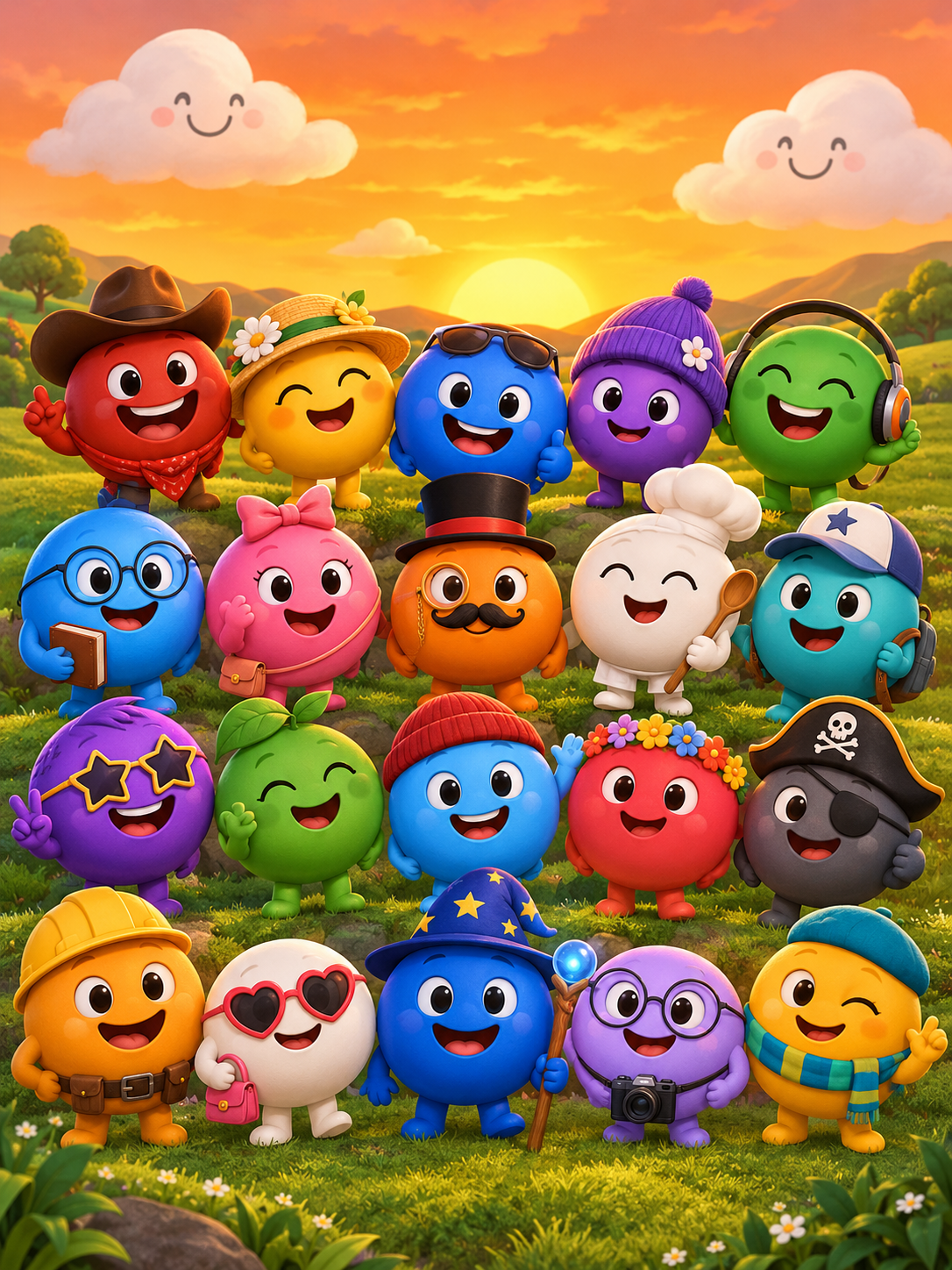
Sprunkity is a fan-made browser music-mixing game by sprunki1000, published on itch.io on 13 October 2026. sprunkity.org is a separate, independent AI video tool inspired by that scene; it is not the game and is not affiliated with sprunki1000, itch.io, Incredibox or TheGoodSprunkiOwner124.
The short version
- The browser game is free to play on itch.io and runs in the browser as an HTML5/Scratch-style game.
- You drag sound tiles onto seven circular performer faces, build up to seven loops, and use hover controls to mute, solo or remove parts.
- One bonus character is named Verity; the stage uses a warm orange sky, green hills and smiling clouds.
- A different, download-only game with the same name exists: the Phase 3, 4 and 5 releases by TheGoodSprunkiOwner124.
- sprunkity.org generates a 10-second, 720p, 9:16 silent MP4 from a written prompt or one character image, using Seedance 2.0.
- Every render costs 30 credits. New accounts start with 0 credits, and there is no signup bonus or free preview.
What Sprunkity is
Sprunkity is a fan-made browser music-mixing game in the Sprunki family. It was created by sprunki1000 and published on itch.io on 13 October 2026. It is an HTML5/Scratch-style game, and the first load is about 56 MiB. That matters for expectations: it is a browser game you open and play, not a desktop application you install.
The family tree helps place it. Incredibox is the original music-mixing game. Sprunki is a fan mod of Incredibox. Sprunkity is a fan-made browser game in that wider Sprunki scene. It is not the original Incredibox, and it is not an official Sprunki release. Rights in the game, its characters and its art belong to their respective creators.
The game’s basic structure is easy to describe. There are seven circular performer faces on stage. There are twenty main sound tiles arranged in two rows, plus six bonus tiles along the top. One bonus character is named Verity. The visual setting is deliberately bright: a warm orange sky, green hills and smiling clouds.
What you see on screen
The stage is the centre of the screen. Seven circular faces wait there for sound tiles. The twenty main tiles sit in two rows, and the six bonus tiles run along the top. The layout is readable at a glance, which is part of why the game works in short clips: the viewer can see the empty faces, the tile rows and the colourful stage without a tutorial.
The controls are compact. You drag a tile onto a face to assign that sound. Hovering over an assigned face gives you mute, solo and remove controls. The round arrow at the top right resets the mix. The menu at the top left opens settings, including dark mode and accent colours, and a creator gallery.
The look is part of the identity. The orange sky, green hills and smiling clouds give the game a cheerful surface. The seven faces and the six bonus tiles keep the cast small enough to recognise. Verity is the bonus character named in the game’s public information, and named characters tend to become focal points in fan posts because they are easier to reference than an entire tile set.
How a round works
A round is built by dragging sound tiles onto the seven performer faces. Each face can hold a loop, so a full stage can have up to seven active loops at once. The twenty main tiles and six bonus tiles give you the raw material; the faces are where the mix is assembled.
The hover controls are the practical part. Mute lets you drop a part without removing it. Solo lets you isolate one part to hear how it sits. Remove clears the face so you can try a different tile. The round arrow at the top right resets the mix when you want to start clean. The menu at the top left is for settings and the creator gallery, not for building the mix.
That is the whole loop: choose a tile, place it, listen, adjust, and reset when needed. The game does not need a long explanation. The value is in trying combinations and hearing how the loops fit together.
Why it spread so fast
It is difficult to prove a single cause, and no public statistics are needed to see the pattern. The game is quick to understand on camera. A short video can show a tile being dragged onto a face, the face changing, and the mix building. That is a complete visual action in a few seconds.
Verity is part of that spread. Verity is a named bonus character, and fan edits often fix on one character and one repeated line because a single recognisable hook travels better in a short vertical clip than a full cast. If you use a Verity catchphrase, take the wording from the game or the creator’s post rather than inventing a line and presenting it as canon.
The cheerful-horror contrast also helps. The stage is warm and friendly, with smiling clouds and green hills, while the wider Sprunki scene often mixes cute character design with unsettling fan lore. Sprunkity’s bright surface makes that contrast easy to stage in fan videos. YouTube and TikTok mixes fit the format because the game is visual, loop-based and easy to clip.
Two different games share the name
There are two different games with the Sprunkity name, and they should not be confused. The browser game is the one made by sprunki1000 and published on itch.io on 13 October 2026. It has seven performer faces, twenty main sound tiles, six bonus tiles, Verity as a named bonus character, and the orange-sky stage described above.
The other game is download-only. It was made by TheGoodSprunkiOwner124 and has Phase 3, 4 and 5 releases for Windows, macOS, Linux and Android. Those releases are not the browser game by sprunki1000. They are separate downloads from a different creator.
The table below compares the browser game with sprunkity.org, which is an independent AI video tool, not a game.
| What it is | Made by | Platform | What you get | Cost |
|---|---|---|---|---|
| Fan-made browser music-mixing game in the Sprunki family | sprunki1000 | Browser on itch.io; HTML5/Scratch-style; about 56 MiB first load | Seven performer faces, twenty main sound tiles, six bonus tiles, Verity as a named bonus character, mute/solo/remove controls, reset, settings and creator gallery | Free to play on itch.io |
| Independent AI video tool inspired by the scene; not the game | sprunkity.org | Web | 10-second, 720p, 9:16 silent MP4 from a written prompt or one character image; Seedance 2.0; moderated inputs and outputs | 30 credits per render; paid credit packs and plans from $9.90; no signup bonus |
SPRUNKITY Phase 3, 4 and 5 belong to the download-only series by TheGoodSprunkiOwner124. They are not browser releases, and they are not affiliated with sprunkity.org.
Making a fan video about it
Playing Sprunkity and making a fan video with sprunkity.org are different activities. Playing the game means opening the browser game, dragging tiles and building a mix. Generating a clip with sprunkity.org means creating a new short video from a written prompt or one character image. The tool does not record gameplay, and it does not produce audio.
The output is fixed: a 10-second, 720p, 9:16 silent MP4. You can start from a written prompt or from one character image in JPG, PNG or WebP up to 10 MB. Every render costs 30 credits. Paid renders have no watermark. Failed generations return their credits automatically. Inputs and outputs are moderated. The tool does not promise exact likeness, custom audio, multiple images, multiple models, editing tools or resolutions beyond 720p.
- Decide whether you want a text-led clip or an image-led clip. Use one image at most, in JPG, PNG or WebP, up to 10 MB.
- Write a prompt that describes the action, setting, character mood and camera framing. Keep the request within what a 10-second silent clip can show.
- Keep the format fixed: 10 seconds, 720p, 9:16, silent MP4. Do not plan around custom audio or a longer runtime.
- Render the clip. Each render costs 30 credits, and paid renders have no watermark.
- Download the MP4 and add music you have rights to. The output is silent by design.
- If a generation fails, the credits return automatically. New accounts start with 0 credits, and there is no signup bonus or free preview.
Because the output is silent, the music step is yours. Use audio you have the rights to, and credit the game, characters and creators where appropriate. Sprunkity.org is an independent fan-made tool; it is not the game and is not affiliated with sprunki1000, itch.io, Incredibox or TheGoodSprunkiOwner124.
FAQ
Q: Is Sprunkity free to play?
The browser game by sprunki1000 is free to play on itch.io. sprunkity.org is separate and paid from the first render: new accounts start with 0 credits, every render costs 30 credits, and there is no signup bonus or free preview.
Q: Who made Sprunkity?
sprunki1000 made the browser game and published it on itch.io on 13 October 2026. A different, download-only game with the same name was made by TheGoodSprunkiOwner124.
Q: Is Sprunkity the same as SPRUNKITY Phase 3, 4 or 5?
No. Those are separate download-only releases by TheGoodSprunkiOwner124 for Windows, macOS, Linux and Android. They are not the browser game by sprunki1000.
Keep creating
If you want to turn a Sprunkity idea into a clip, read how to make a Sprunkity video for the workflow, then compare the scene with Sprunkity vs Sprunki. For a silent clip that you will score yourself, the Sprunkity music video guide is the practical next step. When you are ready, open the create page and check pricing before you render.
Try the tool from this guide
Every render costs 30 credits. Failed generations return credits.
Make your Sprunkity video
Describe a 10-second Sprunkity-style scene. Seedance 2.0 creates it from your words alone.
Only selected results appear in our gallery after review. Your input remains private.
$19.90/ 30 credits
30 credits · 10 secondsEvery render costs 30 credits. One-time packs never expire; monthly credits last for the billing month.
Your videos
Describe a scene or upload a character image, then create your video.
Sprunkity
Sprunkity editorial team · Source and publishing references